Soprano Connect for ServiceNow
Send and receive SMS, WhatsApp, RCS and Viber directly from ServiceNow, with conversations and delivery status kept against relevant records.
Send Messages Directly from Within ServiceNow with Soprano Connect for ServiceNow
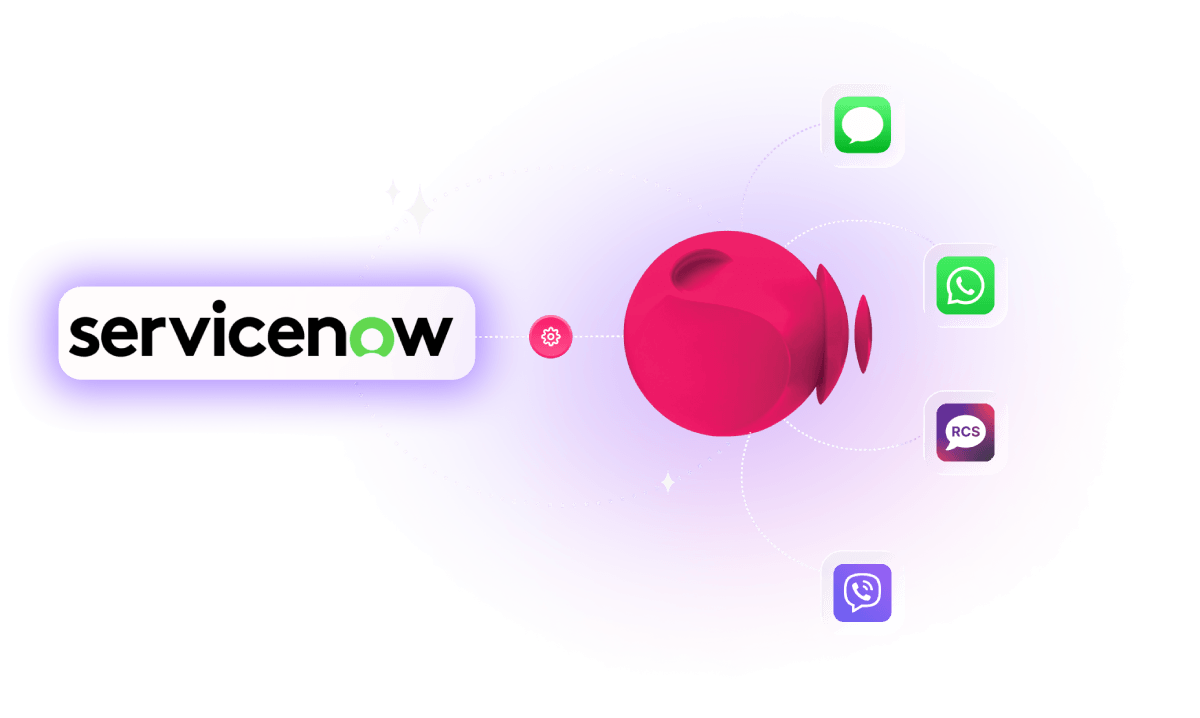
Soprano Connect for ServiceNow brings SMS, WhatsApp, RCS and Viber into supported ServiceNow records, allowing authorised agents to send messages and review supported replies without leaving the platform.
Messaging stays linked to the originating Incident, Problem, Change Request, Case or HR Case, with delivery status, consent state and message history preserved for audit and reporting. Templates, channel controls and consent checks help teams communicate consistently while reducing manual system switching.
Backed by more than 30 years in enterprise communications, Soprano powers 32 billion interactions annually and is trusted by enterprise and government organisations worldwide, with ISO 27001 and SOC 2 Type II assurance.
Key Benefits of Soprano Connect for ServiceNow:
- Keep Messages Record-Linked: Keep outbound messages, supported replies, delivery status and consent history connected to the ServiceNow record that triggered the communication.
- Message Without Switching: Let authorised ITSM, CSM and HR agents communicate from ServiceNow without moving to separate messaging tools or losing record context.
- Reach Users Across Four Channels: Send SMS, WhatsApp, RCS and Viber from one integration, subject to the channels provisioned and configured for your organisation.
- Manage Consent Before Sending: Apply configured opt-in and opt-out rules before messages are sent, helping teams respect recipient preferences and organisational policy.
- Track Delivery and Replies: Record delivery outcomes and supported inbound replies against the originating record for clearer operational visibility, reporting and auditability.
- Built for Governed Operations: Use role-based access, secure credential handling, audit logs and configurable retention within a scoped ServiceNow application.
Use Cases
How Enterprise and Government Organisations Can Use Soprano Connect for ServiceNow

IT Service Updates
Send record-linked updates from Incidents, Problems and Change Requests, keeping delivery outcomes and replies connected to the original ITSM record.

Customer Case Messaging
Communicate with customers from ServiceNow Case records, with message history, delivery status and supported replies available to authorised CSM agents.

HR Case Communications
Send approved employee messages from HR Case records while preserving access controls, message history and delivery outcomes within the existing HR workflow.
Why Soprano for ServiceNow Messaging

Enterprise Messaging Experience
More than 30 years supporting business-critical communications for enterprise and government organisations worldwide.

Multi-Channel Messaging
Bring SMS, WhatsApp, RCS and Viber into ServiceNow through one enterprise messaging provider.

Governed Messaging Controls
Support consent, role-based access, message history and delivery reporting within ServiceNow workflows.

Security & Compliance
Backed by ISO 27001 and SOC 2 Type II assurance for enterprise communications.
How It Works
How Soprano Connect for ServiceNow Works
Add Soprano Connect
Install and configure the scoped Soprano Connect application.
Connect ServiceNow
Configure the Soprano endpoint and secure credential alias.
Configure Messaging
Enable channels, templates, consent rules and user roles.
Start Messaging
Send, receive and track messages from supported ServiceNow records.
FAQs
What Is Soprano Connect for ServiceNow?
Soprano Connect for ServiceNow is a scoped application that brings SMS, WhatsApp, RCS and Viber into supported ServiceNow records. Authorised agents can send messages, review supported replies and track delivery outcomes without leaving ServiceNow, while message history, consent state and audit information stay connected to the originating record.
What Messaging Channels Does Soprano Connect for ServiceNow Support?
Soprano Connect for ServiceNow supports SMS, WhatsApp, RCS and Viber, subject to the channels provisioned and configured for your organisation. Agents can select an available channel from the Messaging Workbench and send open text or approved templates according to the channel and configuration rules applied by your ServiceNow administrators.
Can I Send and Receive Messages Directly in ServiceNow?
Yes. Authorised users can send messages from supported ServiceNow records and review supported inbound replies within the associated record context. The integration also records delivery outcomes, helping ITSM, customer service and HR teams keep communications connected to the work they are already managing in ServiceNow rather than switching to separate messaging tools.
Which ServiceNow Records Does Soprano Connect Support?
Soprano Connect for ServiceNow supports messaging from Incident, Problem and Change Request records, as well as Case records where Customer Service Management is enabled and HR Case records where HR Service Delivery is enabled. Access remains subject to the user’s existing ServiceNow permissions and the roles configured for the Soprano application.
How Do I Set Up Soprano Connect for ServiceNow?
ServiceNow administrators install and configure the scoped Soprano Connect application, set the Soprano endpoint through a Connection and Credential Alias, configure the inbound webhook, enable provisioned channels and templates, set consent rules and assign user roles. The connection and messaging flows can then be tested before agents begin using the integration.
Bring Messaging into ServiceNow
Send and receive SMS, WhatsApp, RCS and Viber without leaving the ServiceNow workflows your teams already use.
Talk to Soprano