How MCP Connects AI Agents to Business Tools
Your business already relies on different systems to manage customers, respond to enquiries and keep operations running.
A CRM holds customer records, a service platform tracks requests, and other applications manage data and workflows.
Now imagine asking an AI agent to resolve a service enquiry.
To get beyond a suggested answer, it may need to check those systems, update a record and initiate the next step.
That is where a Model Context Protocol (MCP) integration can help.
If MCP is new to you, our guide to Model Context Protocol explains the fundamentals; here, we’ll focus on how connecting AI agents to business tools works in practice, and what to consider before doing it.
How Does MCP Connect AI Agents to Business Tools?
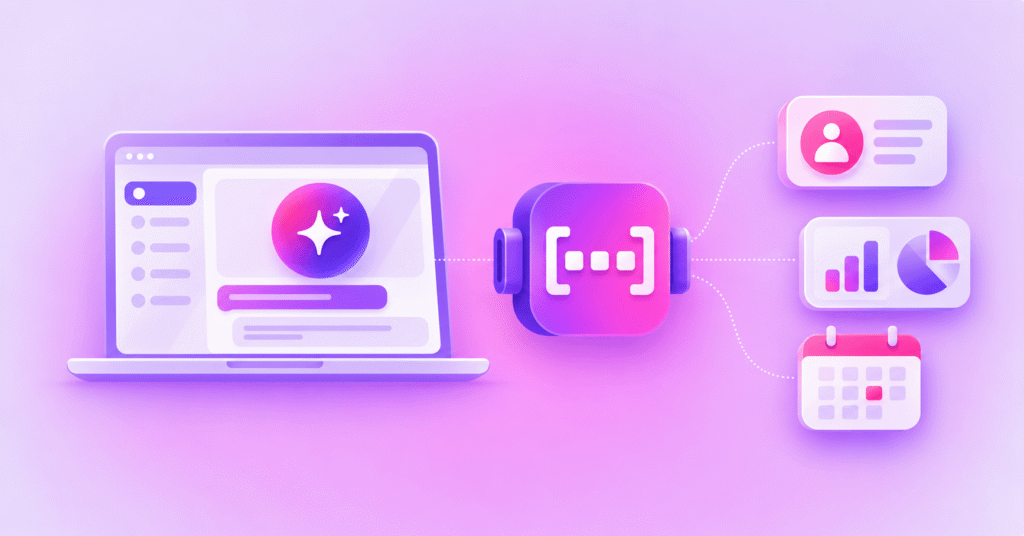
MCP connects AI agents to business tools by providing a standard interface for compatible AI applications to discover and use capabilities exposed by MCP servers.
Those capabilities might retrieve data, update a permitted field in a CRM or trigger an approved workflow. The MCP server exposes the available tools, while the connected systems and access controls determine what the agent can do.
For your team, the important distinction is between choosing an action and carrying it out. The AI application requests an available tool; the connected business system performs the operation.
The official MCP architecture overview explains this relationship in more detail.
How Does an MCP Integration Work in Practice?
Suppose someone on your team asks an AI assistant to check an open case and update the customer record. It sounds like one task, but several systems may need to work together.
| EXAMPLE WORKFLOW │ FROM REQUEST TO ACTION |
|
1. Request received: Someone asks your AI agent to complete a task. 2. Tool selected: The AI application identifies an available MCP tool. 3. MCP call: The MCP server processes the tool request. 4. Action performed: The connected system carries out the permitted operation. 5. Result returned: Your agent receives the outcome and can continue. |
The steps below show how that connection could operate.
MCP provides a consistent route to the tool, while your existing application remains responsible for the underlying action and its permissions.
What Business Tools Can AI Agents Connect to Through MCP?
The tools you can connect depend on your business systems, the MCP servers available and which operations those systems expose. Here are some practical examples:
| Business tool | What an AI agent could do |
|---|---|
| CRM platforms | Retrieve a customer profile or update an authorised field. |
| Databases | Look up operational information needed for a task. |
| Service-management systems | Check a ticket status or create a follow-up request. |
| Workflow applications | Start an approved internal process. |
| Document systems | Find information in accessible policies or knowledge files. |
| Communications platforms | Send a notification or check a message delivery status. |
These examples are possibilities, not integrations that MCP provides automatically. You still need a suitable server or integration, working access to the underlying service and clear permissions for each operation.
What Does an AI Agent Workflow Look Like With MCP?
Imagine a customer asks for an update on an existing support case. Your service agent could respond more effectively if it can access the customer record, check the open ticket and arrange the right follow-up.
1. Check the customer record: Retrieve the relevant account details from your CRM.
2. Find the open case: Look up the latest status in your service-management system.
3. Decide what is needed: Identify whether the customer needs information, a correction or further attention.
4. Update the record: Add a note or change an authorised field, if the right permissions are in place.
5. Arrange the follow-up: Trigger an approved workflow, such as preparing a customer status update.
From the customer’s perspective, this might feel like one conversation. Behind it, the agent is using separate tools to retrieve information and request actions across several systems.
Your workflow still needs to handle missing records, failed requests and actions that need human approval. Access to read a support case should not automatically include permission to close it.
What Are the Business Benefits of Connecting AI Agents to Existing Tools?
Connecting agents to the right tools can make them more useful to the people working with them. The value comes from the specific tasks you choose to support, not from adopting MCP for its own sake.
- More useful AI agents: Give teams a way to request permitted actions, rather than only receive suggested next steps.
- Less repetitive work: Reduce selected manual look-ups, record updates and workflow triggers.
- Greater interoperability: Allow compatible AI applications to work with capabilities exposed through a common interface.
- More connected workflows: Draw on information and actions held in different business systems to complete a task.
Those benefits are not automatic. Whether you save time or reduce effort depends on the tools, systems and controls behind each workflow.
What Should Businesses Consider Before Connecting AI Agents to Their Systems?
Before you connect an agent to a business system, identify the decisions it should support, the actions it can safely perform and where a person needs to stay involved.
- Permissions: Distinguish what your agent may read from what it may edit, send or approve.
- Data security: Check which customer and business information each tool exposes and who can access it.
- Approvals and oversight: Decide when a person should confirm a proposed action, especially one that affects customers.
- Reliability: Plan what happens when a connected system is unavailable, a request fails or the result is incomplete.
Start with one contained use case and test it with the people who will rely on it. You will also need to assess the MCP server, maintain the connected applications and monitor what the agent actually does.
Connecting AI Agents to Customer Communications
A workflow often needs to reach beyond your internal systems. After checking a record or updating a service request, the next step may be to inform the customer.
You can already connect business applications directly to messaging through Soprano Communication APIs. With Soprano Messaging MCP, compatible AI agents can instead access authorised messaging tools, such as sending an approved message or checking delivery status.
Soprano Messaging MCP supports SMS, RCS, WhatsApp, Viber, Email and Voice. For your organisation, that creates a potential route from a business action to customer communication through existing messaging infrastructure, subject to the configured tools, approvals and sending rules.
If customer messaging is part of the workflow you are planning, explore Soprano Messaging MCP or speak to a Soprano expert about what is practical for your systems.
MCP Integration FAQs
What Is an MCP Integration?
An MCP integration connects a compatible AI application to capabilities exposed by an MCP server, so the application can request information or invoke available tools through a standard interface.
Can MCP Connect AI Agents to Existing Business Software?
Yes. MCP can connect AI agents to existing business software where suitable servers expose the capabilities your organisation needs and access is correctly configured.
Do Businesses Need to Replace Their APIs to Use MCP?
No. You do not need to replace existing APIs to use MCP. An MCP server can call an established API to carry out the operation an agent requests.
Can AI Agents Use MCP to Perform Actions Automatically?
Yes. AI agents can use MCP to request actions automatically when the connected tools and permissions allow it, although some actions should still require human approval.
Connect Your AI Agents to Customer Communications With Soprano
Once your AI agents can access information and perform actions across business systems, the next opportunity is connecting those workflows to customer communications.
Soprano Messaging MCP enables AI agents to initiate and manage customer messaging through SMS, RCS, WhatsApp, Viber, Email and Voice. Your agents can trigger approved messages, access templates and check delivery statuses as part of workflows connected to your existing business applications.
Whether you’re looking to automate appointment reminders, send transaction alerts or support customer service workflows, Soprano can help you connect AI-driven processes to enterprise messaging capabilities.
Speak to a Soprano expert about integrating customer messaging into your AI agent workflows.