What Is Model Context Protocol (MCP)?
An AI agent can answer a question about a customer account, but what happens when it needs to check the latest account details, update a record or send that customer a message?
Those tasks depend on information and capabilities outside the AI model itself. Businesses already have that information in CRMs, databases, service platforms and communications systems, but connecting an AI application to each one can require considerable integration work.
Model Context Protocol (MCP) offers a more consistent way to make those connections. As organisations explore AI agents that can carry out tasks, understanding MCP is becoming increasingly useful for both technology teams and business leaders.
What Is Model Context Protocol (MCP)?
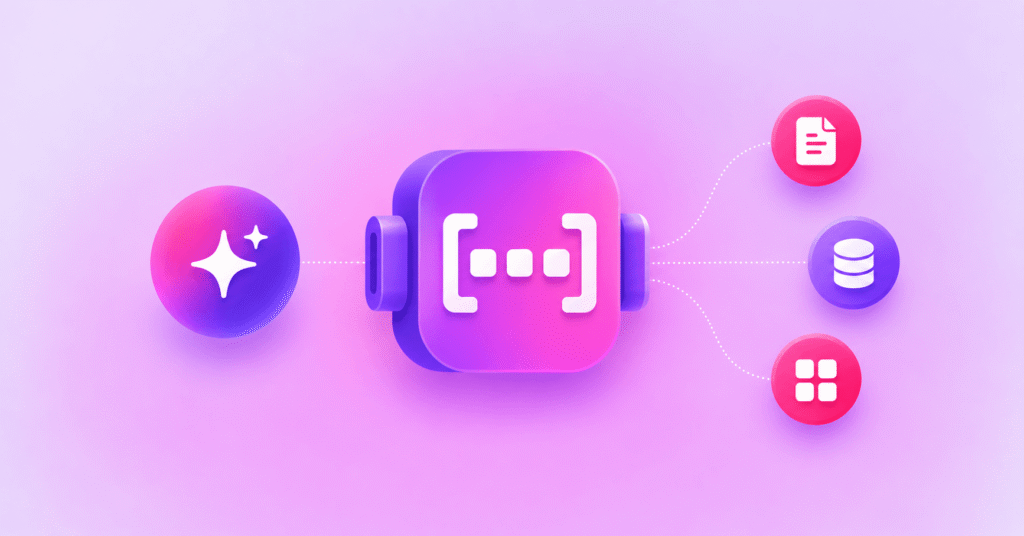
Model Context Protocol (MCP) is an open standard that allows AI applications to connect with external tools, data sources and services through a consistent interface. Rather than designing a completely different connection for every AI application and business system, MCP defines how compatible applications can discover and use available capabilities. These might include retrieving information, accessing business software or taking an authorised action such as sending a customer notification.
Originally introduced by Anthropic in 2024, MCP is an open protocol rather than a product tied to one AI provider. Its purpose is to make useful capabilities available to compatible AI applications through a common approach.
It is important to distinguish the connection from the decision. MCP does not decide what an AI agent should do, nor does it make the underlying system available without permission. It provides a way for an application to access capabilities that have been deliberately exposed to it.
Why Was Model Context Protocol Created?
Enterprise systems were not designed around a single AI assistant. A business might use one application for customer records, another for service requests and a third for outbound communications.
Without a shared approach, each AI application can require its own integration with each system. As the number of applications and tools increases, maintaining those connections becomes harder.
MCP addresses that fragmentation by establishing a common protocol between compatible AI applications and the services that expose tools or information. Teams still need to configure systems, manage permissions and maintain underlying integrations, but they do not have to invent an entirely new AI-facing interface for every connection.
This matters especially when organisations are experimenting with several AI platforms rather than committing every workflow to one vendor.
How Does MCP Work?
MCP uses a host, client and server architecture. These terms sound technical, but their roles are straightforward.
- MCP host: The AI application in which a person works, such as an AI assistant or agent environment.
- MCP client: The component within the host that maintains a connection to a particular MCP server.
- MCP server: The service that exposes information or capabilities the connected AI application can use.
A server can expose three broad kinds of building blocks: tools that perform actions or retrieve information, resources that supply relevant data, and prompts that provide reusable instructions or templates.
For example, an employee could ask an AI assistant to check a customer record. A connected MCP server could expose a tool for retrieving the authorised record from the CRM, allowing the assistant to respond using current information.
If the next step is to update the record, that would involve a separate capability and appropriate permissions. The AI application cannot assume that access to read data also grants permission to change it.
The precise architecture, deployment and approval steps vary by implementation. The central idea is that the AI application discovers available capabilities through a defined interface instead of relying on a bespoke connection for each tool.
What Can MCP Enable AI Agents to Do?
The practical value of MCP becomes clearer when we look beyond the architecture to the tasks an AI agent may need to complete.
- Retrieve information from approved knowledge bases, documents or databases.
- Access customer or case details held in a CRM or service-management platform.
- Create or update records when the relevant tools and permissions are available.
- Trigger business workflows in connected applications.
- Send customer notifications through an authorised communications service.
Consider a service agent handling an appointment enquiry. It may need to check an appointment system, retrieve the relevant details and then arrange a reminder. MCP can help expose those separate capabilities to the AI application in a consistent way.
For teams developing conversational AI applications, these connections can help an assistant move from answering an enquiry to using approved business tools.
That does not mean every connected agent should be allowed to execute every action automatically. Organisations still need rules for when an agent can act, when confirmation is required and what happens if a tool returns an error.
What Is the Difference Between MCP and an API?
MCP and application programming interfaces (APIs) are related, but they solve different problems.
An API provides a defined way for software to interact with a service. For example, a communications API may let a business application send a text message or retrieve its delivery status.
MCP provides a standard interface through which compatible AI applications can discover and use tools, including tools backed by existing APIs. An MCP server might call an API to perform the requested action.
MCP vs API Comparison
| Comparison | MCP | API |
|---|---|---|
| Primary purpose | Connect AI applications to external tools, data and services through a common protocol | Enable software systems and applications to exchange data or invoke services |
| How it works | An MCP client communicates with an MCP server exposing capabilities | An application makes requests to an API using its defined interface |
| Typical users | MCP-compatible AI assistants, agents and applications | Applications, platforms, developers and AI systems |
| Discovery | A compatible client can discover tools exposed by an MCP server | Developers typically integrate documented API operations |
| Messaging example | An AI agent invokes an available messaging tool through MCP | An application calls a messaging API to send an SMS |
| Relationship | Can use existing APIs to perform requested actions | Can function independently or power capabilities exposed through MCP |
In other words, MCP does not replace APIs. It can make API-backed capabilities easier to expose to AI agents through a common tool interface.
For a communications example, see Soprano’s Communication APIs, which allow business applications to integrate directly with messaging capabilities.
Soprano Connect MCP provides a complementary route for compatible AI agents to use messaging tools through MCP.
Why Does MCP Matter for Businesses?
For enterprise teams, MCP is relevant because it offers a repeatable approach to connecting AI applications with business capabilities.
- Interoperability: Compatible AI applications can interact with capabilities exposed through MCP without requiring a wholly different interface for each AI platform.
- More useful workflows: An assistant can go beyond describing the next step and, where authorised, use tools to carry out part of that step.
- Greater flexibility: Organisations can evaluate new AI applications while retaining the business systems and APIs they already use.
- Clearer separation of responsibilities: AI applications, MCP servers and underlying business systems each have distinct roles that teams can design and govern.
These are potential advantages, not automatic outcomes. The time and effort required will depend on the systems involved, the quality of available tools and the organisation’s governance requirements.
What Should Businesses Consider Before Using MCP?
Connecting an AI application to business systems introduces responsibilities that go beyond making the connection work.
Start with access control. Teams should determine which systems an agent can reach, which tools it may use and which users are authorised to request those actions.
Next, consider data handling. A tool may expose customer information or operational records, so organisations need to assess what data is returned, how it is processed and whether the connection meets relevant security and privacy requirements.
Actions deserve particular scrutiny. Reading a record and sending a customer message are different levels of authority. Approval steps, logging, monitoring, error handling and human oversight may be appropriate depending on the consequence of the action.
Finally, assess the MCP server and its underlying dependencies. A standard interface does not, by itself, guarantee that a connected service is secure, available or suitable for a regulated environment.
How Can MCP Be Used for Customer Messaging?
Customer communications show the difference between an AI agent knowing what to do and having the ability to do it.
An agent might determine that a customer needs an appointment reminder or a transaction update. Delivering that message, however, requires access to a communications platform and an authorised sending workflow.
A messaging MCP can expose capabilities such as sending a message, using an approved template or checking delivery status. The AI application can then invoke the relevant tool as part of a wider workflow.
| Example Journey: An AI Agent Sends an Appointment Reminder |
|
1. Appointment event A connected booking system identifies an upcoming appointment. 2. Agent selects a reminder The AI agent determines that an approved customer reminder is needed. 3. Messaging tool is invoked The agent calls an authorised MCP messaging tool using an approved template. 4. Message is sent The connected messaging service sends the reminder through a supported channel. 5. Status is checked The workflow checks the message delivery status through the available tool. Illustrative workflow. Actions and channel selection depend on configured tools, permissions and business rules. |
The messaging provider remains responsible for its delivery service, while the organisation defines the business rules, permissions and customer communication requirements around the workflow.
What Is Soprano Connect MCP?
Soprano Connect MCP gives AI agents a standard way to access Soprano’s enterprise messaging capabilities through Model Context Protocol.
It supports sending customer messages, triggering messaging workflows, using approved templates, checking delivery statuses and routing messages through supported channels.
Those channels include SMS, RCS, WhatsApp, Viber, Email and Voice. This means an organisation can connect AI-driven actions with established customer communications capabilities without positioning MCP as a replacement for its existing messaging infrastructure.
The service is designed for organisations that want AI agents to initiate and manage messaging actions as part of controlled business workflows.
To explore how these capabilities could fit your organisation’s AI projects, explore Soprano Connect MCP or speak to a Soprano expert.
Model Context Protocol FAQs
What Does MCP Stand for in AI?
MCP stands for Model Context Protocol, an open standard for connecting compatible AI applications to external tools, information and services.
What Is Model Context Protocol Used For?
Model Context Protocol is used to make external capabilities available to AI applications through a common interface, including retrieving data and invoking authorised tools.
How Does MCP Work?
MCP works through connections between an AI application’s client and an MCP server, which exposes tools, resources or prompts the application can use.
Is MCP the Same as an API?
No, MCP is not the same as an API. APIs expose service-specific functions, while MCP standardises how compatible AI applications discover and use capabilities that may be powered by APIs.
What Is an MCP Server?
An MCP server is a service that makes selected tools, information or reusable prompts available to a compatible AI application through Model Context Protocol.
Put MCP Into Practice With Soprano Connect MCP
Understanding how MCP connects AI agents to external tools is the first step. The next is identifying where those connections could support meaningful business activities, including customer communications.
With Soprano Connect MCP, your AI agents can access enterprise messaging capabilities across SMS, RCS, WhatsApp, Viber, Email and Voice. This includes sending messages, triggering workflows, using approved templates and checking delivery statuses.
Whether you’re exploring AI agents for customer support, appointment reminders or operational notifications, Soprano provides the messaging capabilities to help your agents communicate with customers through established channels.
Speak to a Soprano expert to explore how MCP could support your organisation’s customer communications.