WhatsApp Broadcast for Business
WhatsApp gives businesses another way to reach customers through a messaging channel many already use.
But sending a message to hundreds or thousands of people requires more planning than starting a one-to-one conversation.
For enterprise teams, a WhatsApp broadcast for business should combine permission, approved messaging, audience relevance and clear operational controls.
That means understanding the difference between the WhatsApp Business App and the WhatsApp Business Platform, deciding who should receive each message, and giving people a simple way to opt out or speak to a person when they need help.
This guide explains how WhatsApp broadcasts work, where they fit, and how to build campaigns that are useful to customers rather than becoming another source of inbox noise.
How Do WhatsApp Broadcasts Work for Businesses?
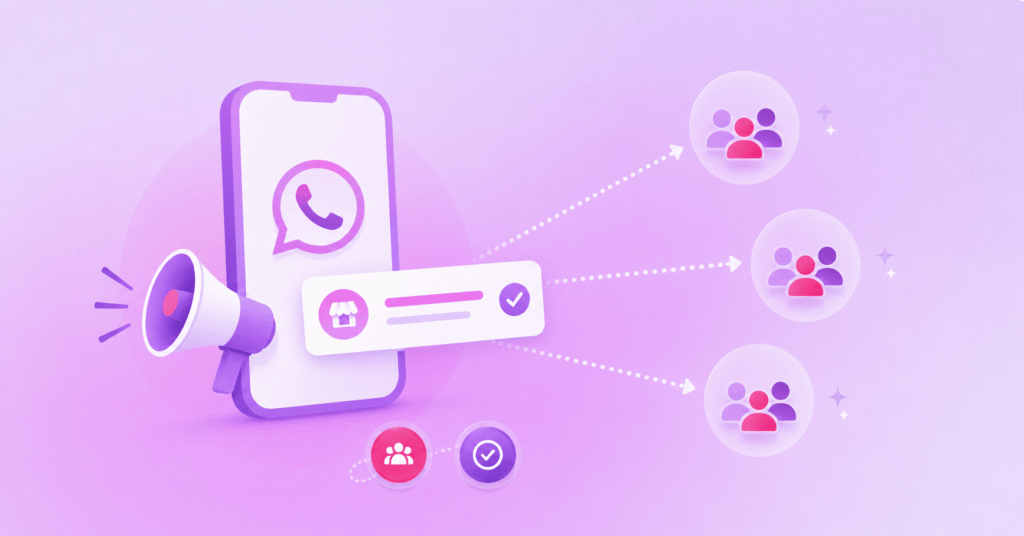
WhatsApp broadcasts for businesses work by sending the same message to multiple opted-in recipients, with each person receiving it as an individual WhatsApp conversation rather than a group chat.
For larger campaigns, businesses can use the WhatsApp Business Platform to segment audiences, manage approved message templates, automate sends and handle responses.
Recipients can reply privately, allowing a broadcast message to become a one-to-one conversation.
What Is a WhatsApp Broadcast for Business?
A WhatsApp broadcast is a way for a business to send a message to multiple recipients without creating a group conversation between them.
Each recipient receives the message in their own WhatsApp chat with the business, so replies remain private and can continue as an individual conversation.
That makes broadcasts useful for messages such as product announcements, event reminders, service updates, back-in-stock notifications and relevant promotional campaigns.
The important distinction is that ‘broadcast’ describes the one-to-many communication pattern.
It does not remove the normal WhatsApp rules around permission, message type or customer experience.
For larger organisations, broadcasts are usually part of a wider messaging workflow rather than a standalone send.
Contact data may come from a CRM or campaign platform, responses may need to reach a service team, and customers who cannot receive a WhatsApp message may need an alternative channel.
WhatsApp Business App vs WhatsApp Business Platform Broadcasts
The WhatsApp Business App and WhatsApp Business Platform can both support business messaging, but they are designed for different operating models.
The Business App is aimed at smaller businesses managing conversations from the app itself.
Meta has introduced a paid ‘business broadcasts’ message type in the app, with controls intended to encourage more considered business messaging.
For enterprise use, the WhatsApp Business API Platform is designed to connect WhatsApp messaging with business systems and workflows.
It supports API-led messaging, approved templates, automation and integration with systems such as CRMs and customer service tools.
If your campaign needs centralised audience management, automation, reporting, routing or human-agent handoff, the Platform is generally the more appropriate model to assess.
How Do WhatsApp Business Broadcasts Work?
At enterprise scale, a broadcast typically starts with an audience and an approved purpose rather than with the message copy itself.
1. Build the Eligible Audience
Identify the customers who have provided the appropriate permission to receive WhatsApp messages and apply any relevant regional marketing rules.
2. Segment the List
Use information such as customer relationship, lifecycle stage, location, product ownership or stated preferences to decide who genuinely needs the message.
3. Select or Create the Right Template
Business-initiated messages on the WhatsApp Business Platform must use approved message templates, with the category and content matching the purpose of the communication.
4. Send Through the Approved Workflow
The campaign can be triggered from the platform or an integrated business system, with each recipient receiving the message in a private chat.
5. Manage the Response
Replies can move into a service conversation, automation or human-agent workflow depending on the use case and configuration.
6. Measure and Refine
Review delivery, read and response signals alongside opt-outs, user feedback and business outcomes before deciding when and what to send next.
Opt-In, Templates and the 24-Hour Service Window
Permission and message context are central to WhatsApp business messaging.
Meta’s WhatsApp Business Messaging Policy states that businesses using the Platform can initiate conversations only with approved message templates.
When a user messages a business, a 24-hour customer service window opens in which the business can respond with service messages without using a template; the window resets when the user sends another message.
For marketing broadcasts, opt-in also matters.
Meta emphasises that people should be in control of the business messages they receive, and users can block, report or provide feedback on messages they consider irrelevant.
Local privacy and direct-marketing rules still apply alongside the platform rules.
For example, the UK’s ICO guidance on electronic mail marketing explains when consent or a permitted soft opt-in may be required and says recipients must be given a simple way to opt out of subsequent marketing messages.
For global campaigns, do not assume one consent model covers every market.
Review the rules that apply to the recipient and the purpose of the message before launch.
WhatsApp Broadcast Use Cases
The strongest broadcast use cases are usually those where customers have a clear reason to expect the message and can act on it quickly.
- Promotions and product announcements: Send relevant offers, launches or availability updates to opted-in audiences rather than the entire database.
- Event and appointment reminders: Prompt customers before an appointment, webinar, event or booking and give them a path to confirm, change or ask a question.
- Customer lifecycle campaigns: Trigger onboarding messages, renewal reminders or re-engagement journeys based on the customer’s stage and relationship with the business.
- Operational updates: Share important service information where WhatsApp is an appropriate agreed channel, while distinguishing utility communications from promotional content.
- Back-in-stock and availability alerts: Notify customers who have expressed interest in a specific product, service or opening rather than sending a broad generic campaign.
Not every outbound message needs to become a WhatsApp broadcast.
If the audience is unlikely to use WhatsApp, the message is highly urgent, or broad reach matters more than rich interaction, another channel such as SMS may be more appropriate or used as fallback.
How to Create an Effective WhatsApp Broadcast Campaign
A good campaign starts by defining what should happen after the message arrives.
If the goal is to drive a booking, confirm an appointment or bring a customer back to a product page, build the message around that single action.
Avoid squeezing several unrelated offers or instructions into one template simply because the channel supports rich content.
Then connect the send to the systems that hold the context.
A CRM, service platform or commerce system may contain the information needed to personalise the message, suppress customers who have already acted or route replies to the right team.
Finally, design the response path before launch.
If a customer replies with a question, requests help or wants to opt out, the workflow should know what happens next.
For automated journeys, Meta’s policy requires clear escalation options during the customer service window, such as transfer to a human agent or another direct support route.
Best Practices for Segmentation, Frequency and Opt-Outs
Broadcast performance depends as much on restraint as it does on creative execution.
- Segment for relevance: Use the smallest useful audience for the purpose of the message, because a recent buyer, lapsed customer and event registrant should not automatically receive the same campaign.
- Set frequency rules: Coordinate campaigns across teams so customers are not receiving overlapping marketing messages from separate workflows, while accounting for Meta limits and quality or user feedback signals that affect business messaging.
- Make opt-outs easy: Give customers a clear way to stop promotional messages and make sure preference changes are reflected across the systems used for future sends.
- Preserve a human path: Do not leave customers trapped in automation when the message creates a service question, complaint or sensitive issue.
- Plan channel fallback deliberately: If the journey is important and WhatsApp is unavailable or inappropriate for a recipient, define whether SMS or another channel should be used instead according to an agreed fallback rule.
How to Measure Broadcast Performance
Read rates can help show whether messages are being seen, but they should not be the only measure of a WhatsApp broadcast.
Meta provides businesses with basic performance information and encourages them to use signals such as read rates and user feedback to understand what is working.
Its current WhatsApp Business Platform pricing page also confirms that Platform pricing varies by message category and market, so commercial measurement should use the current applicable rate rather than a fixed figure copied into a campaign plan.
The right business metric depends on the job of the message.
A campaign might track completed bookings, purchases, confirmed appointments, responses or another defined action alongside delivery, reads, opt-outs and negative feedback.
Look for the trade-offs as well as the headline result.
A campaign that produces clicks but drives a spike in opt-outs or support enquiries may need better targeting, clearer copy or lower frequency.
WhatsApp Broadcast for Business FAQs
What Is a WhatsApp Broadcast Message?
A WhatsApp broadcast message is a message sent by a business to multiple recipients, with each person receiving it as an individual WhatsApp conversation rather than as part of a group chat.
Businesses can use broadcasts for updates, reminders, promotions and service communications, provided recipients have given the appropriate permission to receive messages.
Do Customers Need to Opt In to Receive WhatsApp Broadcasts?
Customers need to opt in before a business sends them business-initiated WhatsApp messages.
The opt-in should make it clear that the customer is agreeing to receive messages from that business on WhatsApp, with a straightforward way to change their preferences or opt out later.
Can Customers Reply to a WhatsApp Broadcast?
Customers can reply to a WhatsApp broadcast, with their response continuing as a private one-to-one conversation with the business.
This allows a broadcast to start a wider campaign while questions, requests and follow-up actions are handled individually.
Can Businesses Send WhatsApp Broadcasts to Large Customer Lists?
Businesses can send WhatsApp broadcasts to large opted-in customer audiences using the WhatsApp Business Platform.
For larger campaigns, businesses should segment audiences carefully and have processes in place for managing replies, opt-outs and campaign performance.
What Happens If a Customer Cannot Receive a WhatsApp Message?
If a customer cannot receive a WhatsApp message, the business can use another communication channel, such as SMS, where its messaging setup supports fallback.
Businesses should define these fallback rules in advance based on channel availability, customer contact details and the importance of the communication.
Scale WhatsApp Messaging with Soprano
For enterprise teams, scaling WhatsApp messaging means connecting campaigns to the systems, permissions and service processes around them, not simply sending to a larger list.
Soprano Design’s WhatsApp Business API offering enables larger organisations to automate and manage verified, two-way WhatsApp interactions at enterprise scale, including business-initiated templates, rich media, buttons, automation and live-agent handoff.
WhatsApp can also be managed alongside other channels through Soprano Connect, supporting coordinated journeys where channel availability and fallback need to be considered.
If you are assessing WhatsApp broadcasts for marketing, service or lifecycle communications, speak to a Soprano expert about the audience, integrations, consent model and response workflow you need to put in place before scaling.