RCS Chatbots for Customer Engagement
Your customer has received a delivery update, but changing the arrangement still means opening another channel and explaining the request again.
RCS chatbots give you a way to plan that next step inside a supported native messaging thread.
The value comes from connecting the customer’s choice to your service process, so the conversation leads somewhere useful.
What Is an RCS Chatbot?
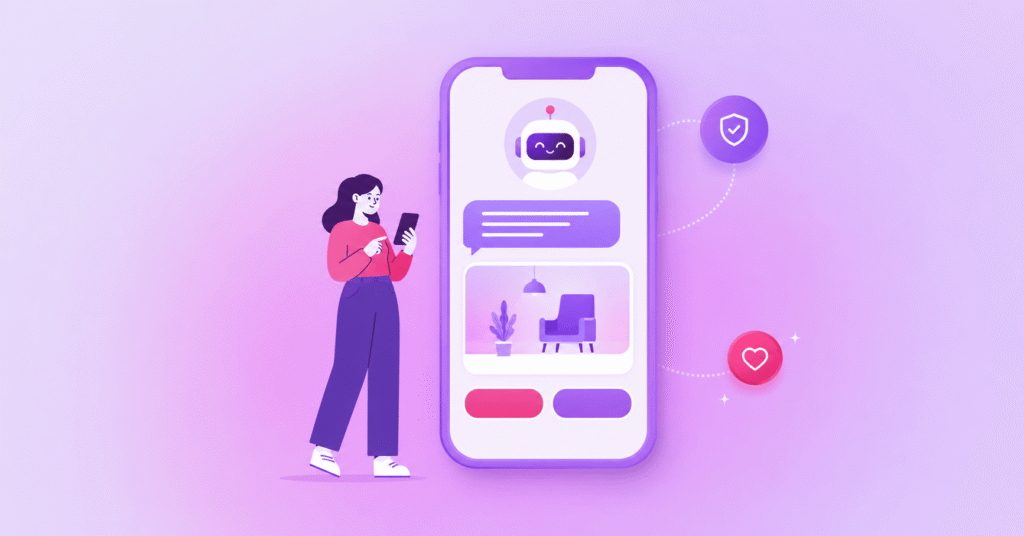
An RCS chatbot is an automated business messaging experience delivered through an RCS agent in a customer’s native messaging app. It can combine natural-language responses with verified branding, rich cards, carousels, suggested replies and actions. Connected to business systems, an RCS chatbot can answer questions, collect information and complete tasks, while capability checks and SMS fallback help manage customers who cannot receive RCS.
Rich Communication Services (RCS) provides the messaging channel; your application determines how the task progresses.
An RCS business messaging chatbot should have a defined service scope.
When assessing an RCS messaging platform, confirm how the conversation will connect to the systems responsible for completing the customer’s task.
Showing a booking option is useful only when the surrounding journey can retrieve availability, handle a selection and confirm what happened.
How Do RCS Chatbots Work?
RCS chatbots connect a customer-facing messaging identity to software that interprets messages and performs tasks.
The RCS agent carries the business conversation, deterministic workflows follow predefined rules, and an optional conversational AI layer interprets natural-language requests.
Keep those responsibilities distinct when specifying your solution.
A button-led journey can use fixed rules without AI, while RCS conversational AI can help interpret a typed request before passing it to an approved workflow.
Google’s RCS development guides cover agents, webhooks and integrations.
Webhooks let your application receive incoming messages and events so it can determine the next response.
Which RCS Features Improve Customer Engagement?
Verified business information, rich cards, carousels, suggested replies and actions can make the next step clearer for customers.
Effective RCS customer engagement connects each feature to a task, with availability depending on market, carrier and provider, as well as device capabilities.
Cards can present relevant details, while carousels organise options for browsing.
Suggested replies help customers select a response; suggested actions can offer a supported next step, such as calling support.
For your team, the design question is whether each card, reply or action helps the customer make a relevant choice and understand what happens next.
Where Do RCS Chatbot Use Cases Fit Across the Customer Journey?
RCS chatbots can support delivery management, appointment booking, product discovery and customer support when connected to the systems responsible for those tasks.
The following illustrative journeys show how the message thread could guide an action, with outcomes to measure rather than guaranteed results.
Delivery Management
| Help Customers Change a Delivery |
|
Trigger: A delivery notification invites the customer to review arrangements. Rich interaction: A card presents delivery details with suggested replies to keep or change the arrangement. Integration: Connect the conversation to order and delivery-management systems, subject to their supported functions. Outcome: Aim for a confirmed delivery choice recorded against the correct order. Fallback: Send an SMS with essential details and a link to delivery management when RCS is unavailable. |
Appointment Booking
| Guide Customers to an Available Appointment |
|
Trigger: A customer requests an appointment or responds to a booking invitation. Rich interaction: Suggested replies guide the customer through available options before confirmation. Integration: Retrieve availability from the booking system and submit the selected appointment for confirmation. Outcome: Aim for a confirmed booking that matches the customer’s selection. Fallback: Offer an SMS booking link or a contact route for assistance. |
Product Discovery
| Help Customers Narrow Their Product Choices |
|
Trigger: A customer responds to a relevant product message or asks for help choosing. Rich interaction: A carousel presents suitable products, with suggested replies to refine preferences. Integration: Connect to the product catalogue for details and an approved destination for the next step. Outcome: Aim for a relevant product selection or a qualified enquiry. Fallback: Send an SMS linking to the relevant product page or enquiry route. |
Customer Support
| Resolve a Request or Connect a Person |
|
Trigger: A customer asks a service question in the message thread. Rich interaction: Suggested replies clarify the issue and offer relevant guidance or human assistance. Integration: Connect approved knowledge sources and the service platform to retrieve guidance or create a case. Outcome: Aim for a resolved request or a handoff with useful context. Fallback: Provide an SMS link or contact number for continued support. |
How Can You Design an Effective RCS Conversation?
Design an effective RCS conversation around a clear customer goal, a manageable next step and an explicit completion message.
Explain what the chatbot can handle, keep choices relevant and provide a route to assistance when the intended path does not work.
Google’s conversation design guidance recommends clear messages, useful suggestions and avoiding dead ends.
Identify the experience as automated and respect messaging preferences, including opt-outs.
Use the RCS marketing practices guide when planning campaign-led journeys.
Test the complete conversation, including unexpected replies, rather than reviewing individual cards in isolation.
How Do Integrations, Automation and Live Agent Handoff Work Together?
Integrations connect the conversation to business information, while RCS automation applies the rules for progressing a task.
Human handoff should cover requests that need judgement, fall outside the supported scope or remain unresolved after the automated response.
Before development, decide which system owns each answer and transaction.
Require confirmation from that system before telling a customer that a booking or change is complete.
Evaluate the enterprise conversational AI platform where language understanding and escalation are requirements.
Specify what context should reach the human adviser, and explain to customers how assistance will continue.
How Do Capability Checks, SMS Fallback and Regional Availability Shape Your Journey?
Capability checks establish whether the recipient can receive the intended RCS interaction, while configured SMS fallback provides another contact route when RCS is unavailable.
Confirm support for your target audience depending on market, carrier and provider, together with device and messaging-app requirements.
Fallback needs its own message and destination.
Use the business SMS platform as a planning reference, and preserve the customer’s task in the shorter message.
Check delivery status before triggering fallback to avoid duplicates.
Review the GSMA standards reference alongside provider confirmation; do not treat a standards reference as evidence that a particular deployment supports every feature.
How Do You Measure RCS Chatbot Performance?
Measure RCS chatbot performance against completed customer tasks, alongside delivery and engagement signals available in your implementation.
A read message or selected button does not establish that the booking, delivery change or support request was completed successfully.
Define completion in the connected business system before launch.
Review where customers stop, request assistance or move to fallback, and investigate whether unclear wording, unavailable options or failed integrations interrupted the task.
RCS Chatbot FAQs
Do My Customers Need a Separate App to Use an RCS Chatbot?
No, customers generally do not need to download a separate app to interact with an RCS chatbot. Conversations take place within their phone’s messaging app, provided RCS for Business is supported by their device, mobile network and messaging service.
What Happens If My Customers Can’t Receive RCS Messages?
If your customers cannot receive RCS messages, your business can use SMS as a fallback, provided fallback routing is configured. This allows customers to continue receiving important communications, although interactive features such as rich cards and suggested replies will not be available through SMS.
Can I Connect an RCS Chatbot to My Existing Business Systems?
Yes, RCS chatbots can connect to existing business systems, including CRM platforms, booking systems and customer support software, through APIs and integrations. These connections allow customers to complete tasks such as checking order statuses, rescheduling appointments or updating account information directly within a messaging conversation.
Can My Customers Speak to a Human Through an RCS Chatbot?
Yes, RCS chatbots can transfer conversations to human support agents when a customer needs additional assistance, provided a handover process has been configured. This allows your business to automate routine enquiries while keeping human support available for more complex or sensitive customer requests.
How Can My Business Measure RCS Chatbot Engagement?
Your business can measure RCS chatbot engagement using metrics such as message delivery rates, read receipts, customer responses and suggested reply interactions. You can also track completed actions, including bookings, purchases and resolved enquiries, when your chatbot is connected to the systems that record those outcomes.
Do I Still Need Customer Consent If My RCS Sender Is Verified?
Yes, your business must still meet applicable customer consent and messaging requirements, even when your RCS sender is verified. Brand verification confirms the identity of your business, but it does not replace the need to obtain appropriate consent, respect customer preferences and provide opt-out options where required.
Build RCS Chatbot Journeys With Soprano
Soprano’s RCS messaging platform supports verified, branded and interactive business messaging through supported native messaging apps.
For teams evaluating RCS chatbots, it provides a relevant starting point for discussing rich interactions, two-way workflows and channel requirements.
Bring a defined customer task, the systems it depends on and your human support requirements to that discussion.
Confirm available capabilities for your target markets, the integration work involved and how SMS fallback will operate.
To explore a journey suited to your organisation, speak to a Soprano expert.