Microsoft Entra SMS & Voice MFA Changes: Everything You Need to Know
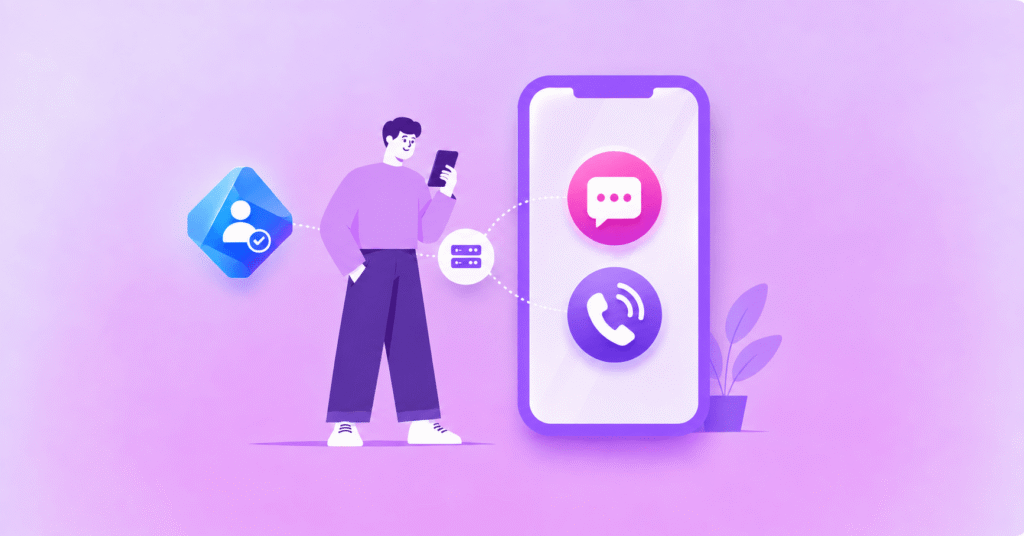
If you use SMS or Voice as part of your multi-factor authentication setup in Microsoft Entra, changes are coming your way.
This comes after Microsoft recently announced that it will retire Microsoft-provided SMS and Voice authentication delivery in 2027, as part of its wider move towards phishing-resistant authentication methods such as passkeys.
For many organisations, moving more users towards phishing-resistant authentication will be the right path.
But not every user or working environment will be able to make that transition at the same pace, particularly across frontline teams, contractors, shared-device environments or users with specific accessibility and operational requirements.
So what happens if some of your users still rely on SMS or Voice when Microsoft stops providing the delivery?
In this guide, we’ll look at what’s changing, the deadlines you need to know and where Soprano Connect for Microsoft Entra fits if SMS or Voice still has a role in your authentication setup.
Can You Keep Using SMS MFA in Microsoft Entra After February 2027?
Yes, you can keep using SMS MFA in Microsoft Entra after 1 February 2027 if your organisation configures a supported customer-managed telecom provider for the users who still need it. Microsoft is retiring its own SMS and voice delivery, not the methods themselves. Most users reach the deadline on 1 February 2027, while Global Administrators and external users have until 1 July 2027.
What Is Microsoft Changing With SMS and Voice MFA?
At the moment, Microsoft can provide the telecom delivery that sends an authentication code by SMS or places a voice call. That is the part being retired.
Microsoft Entra ID will still enforce your authentication policies and coordinate the sign-in experience. The change is about who delivers the SMS message or voice call when those methods are still required.
The latest Microsoft retirement guidance sets out the transition in stages:
- 1 September 2026: Users enabled for SMS or voice are automatically enabled for passkeys and brought into Microsoft-managed registration prompts when they complete MFA.
- 18 September 2026: Information about supported customer-managed telephony providers becomes available through the Microsoft Security Store.
- 30 October 2026: The configuration experience for Choose Your Own Telephony Provider becomes available in Microsoft Entra.
- 1 February 2027: Microsoft-provided SMS and voice authentication retires for all users except Global Administrators and external users. Internal guest users remain in this February group.
- 1 July 2027: Microsoft-provided SMS and voice authentication retires for Global Administrators and external users.
After the applicable date, users who still rely on Microsoft-provided SMS or voice will no longer be able to use those methods as they do today. If that is their only available MFA method, Microsoft says they will receive a blocking prompt to register a passkey before continuing to sign in.
That is different from saying every affected user will simply be locked out, but it is still a sign-in disruption worth avoiding.
Why Is Microsoft Moving Users Towards Passkeys?
Microsoft’s direction is clear: where practical, it wants users moving to phishing-resistant authentication rather than relying on codes delivered over telecom channels.
Passkeys, Windows Hello for Business and FIDO2 security keys use cryptographic credentials rather than shared codes, giving them stronger resistance to phishing, replay attacks and SIM-swap attacks.
For users and devices that can support them, those methods should therefore be the first migration path organisations consider.
But this does not need to become a passkeys-versus-SMS decision for every person in the tenant. Microsoft is keeping a customer-managed telecom route for organisations with a genuine business, regulatory, technical or operational need to retain SMS or voice for specific user groups.
Why Might Some Organisations Still Need SMS or Voice MFA?
An office employee with a managed laptop and smartphone may be straightforward to move to a passkey. A contractor on a short assignment or a field worker using a shared device can be a very different authentication journey.
Common scenarios where organisations may still need a telecom option include:
- Frontline and field workers: Some employees may not have an eligible corporate device or access to the same authentication tools as office-based teams.
- Contractors and external users: Third-party users can sit outside normal device-management, enrolment and support processes.
- Shared-device environments: Devices used across shifts or teams can make user-bound authentication methods harder to deploy consistently.
- Accessibility or operational requirements: Some users or workflows may still need a voice or SMS option where another method is not yet suitable.
- Large or complex user populations: A staged migration may be more realistic when thousands of users, multiple regions or different device types are involved.
The point is not that SMS is stronger than a passkey. It is that authentication has to work for the user and operating environment in front of you. For more background on where the channel still fits, see SMS Verification Explained.
What Is a Customer-Managed Telecom Provider in Microsoft Entra?
A customer-managed telecom provider is a supported provider your organisation selects to deliver SMS or voice authentication instead of relying on Microsoft’s own telecom delivery.
Microsoft calls the model Choose Your Own Telephony Provider. Your organisation selects a supported provider, completes the provider agreement, connects the service to Microsoft Entra and chooses which users or groups should use SMS, voice or both.
Microsoft Entra remains in control of the authentication method policies and sign-in flow, while the chosen provider handles the underlying telecom delivery.
Microsoft also provides an evaluation process so organisations can test routing before moving production authentication traffic. Its telephony provider guidance recommends allowing time to compare coverage, pricing, support, security and compliance requirements before rollout.
How Soprano Connect for Microsoft Entra Supports the Change
Soprano Connect for Microsoft Entra is a customer-managed telecom option for organisations that have identified users who still need SMS or voice MFA after Microsoft-provided delivery retires.
Available through the Microsoft Security Store, the integration connects Microsoft Entra ID with Soprano’s enterprise communications infrastructure for SMS and voice authentication delivery.
The setup follows the Microsoft model: select Soprano, deploy the Azure routing function, configure the relevant users or groups, test authentication delivery and then move the required traffic into production.
Microsoft Entra continues to control the authentication policies. Soprano handles telecom delivery for the users you choose to keep on SMS or voice.
Soprano Connect and Whispir have achieved SOC 2 Type II and ISO 27001:2022 across the approved platform scope, providing documented security and governance credentials for organisations evaluating a provider.
That gives organisations a way to preserve phone-based MFA where it is genuinely needed without making it the default for every user. You can also explore the wider Soprano Connect integration marketplace for other supported platform connections.
What Should Organisations Do Before the 2027 Retirement Dates?
The cleanest approach is to separate the users who can move to phishing-resistant authentication from the users who have a genuine reason to stay on SMS or voice.
1. Find Who Still Uses SMS or Voice
Identify the users currently enabled for SMS or voice, confirm who actively depends on those methods and note which retirement date applies to each group.
2. Move Suitable Users to Phishing-Resistant Authentication
Start moving users who can adopt passkeys, Windows Hello for Business, FIDO2 security keys or another suitable phishing-resistant method rather than carrying unnecessary SMS or voice dependencies forward.
3. Document the Exceptions
For users who still need phone-based MFA, record the reason. That might be a device limitation, accessibility requirement, regulatory obligation, external-user scenario or operational constraint.
4. Select, Configure and Test a Supported Provider
Compare supported providers against the countries, channels, security requirements, support model and commercial terms you need, then test with a controlled pilot before moving larger user groups.
5. Migrate Before the Deadline
Do not treat 1 February or 1 July as the day to make the change. Give your team time to resolve routing, user-support or configuration issues before Microsoft-provided delivery ends for each affected group.
Microsoft Entra SMS & Voice MFA FAQs
Is Microsoft Removing SMS MFA From Entra ID?
No. Microsoft is not removing SMS MFA from Entra ID entirely; it is retiring Microsoft-provided SMS and voice delivery. Organisations with a valid need can continue those methods through a supported customer-managed telecom provider.
Can I Continue Using SMS MFA After 1 February 2027?
Yes. You can continue using SMS MFA after 1 February 2027 for users who need it by configuring a supported customer-managed telecom provider before their applicable retirement date.
Who Has Until 1 July 2027?
Global Administrators and external users have until 1 July 2027 before Microsoft-provided SMS and voice authentication retires for them. Internal guest users are not included in that extension and remain on the 1 February 2027 deadline.
Do All Entra Users Need to Move to Passkeys?
No. Not every Entra user has to move to a passkey specifically, but Microsoft recommends phishing-resistant authentication wherever practical. Organisations can retain SMS or voice for user groups with a legitimate requirement by using a supported customer-managed telecom provider.
What Happens If We Do Not Configure a Provider Before the Deadline?
Users in scope will no longer be able to use Microsoft-provided SMS or voice for MFA after their retirement date. If SMS or voice is their only available MFA method, Microsoft says they will receive a blocking passkey-registration prompt before they can continue signing in.
How Does Soprano Connect for Microsoft Entra Work?
Soprano Connect for Microsoft Entra connects Microsoft Entra ID to Soprano for SMS and voice MFA delivery. Organisations select Soprano through the Microsoft Security Store, deploy the Azure routing function, configure the required users or groups, test the integration and then move authentication traffic into production.
Prepare for the Entra MFA Changes Before 2027
The simplest way to approach this change is to start with the users, not the channel.
Move the people who can use phishing-resistant authentication, identify the groups that genuinely still need SMS or voice and put a supported customer-managed telecom provider in place for those exceptions.
That gives your organisation a clearer path through both the February and July deadlines without treating one authentication method as the answer for every user.
If you expect to retain SMS or voice MFA for any Microsoft Entra users, speak to a Soprano expert about preparing Soprano Connect for Microsoft Entra ahead of the relevant retirement date.