SMS Broadcasting Guide
Sending the same text to thousands of people sounds simple, but useful SMS broadcasting depends on much more than pressing send.
You need the right audience, a clear purpose, an identifiable sender and a plan for what happens when people reply, opt out or do not receive the message.
This guide explains how SMS broadcasting works, when to use it and how to plan a broadcast that is targeted, measurable and appropriate for the rules in each market you operate in.
What Is SMS Broadcasting?
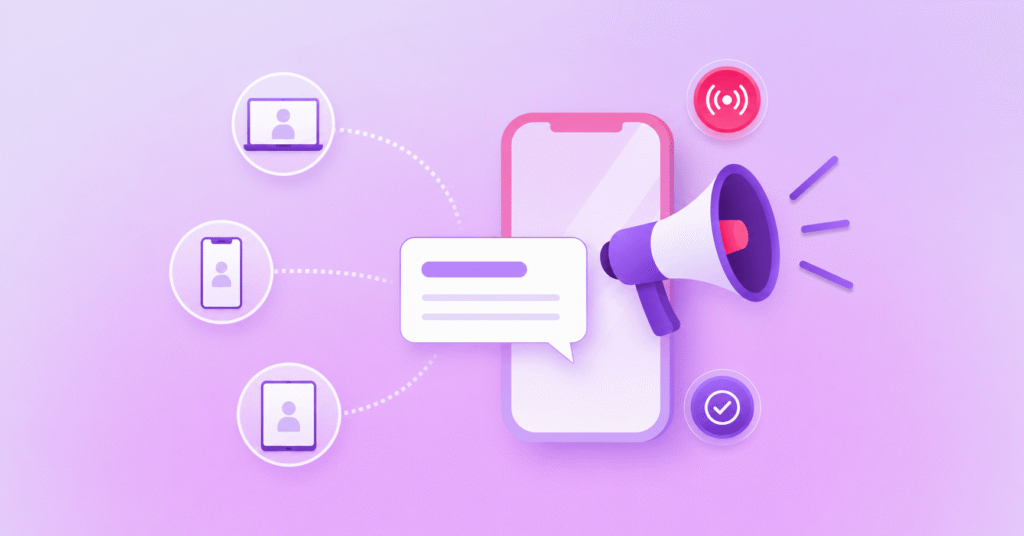
SMS broadcasting is the process of sending one text message to a large group of opted-in recipients at the same time.
Businesses use it for alerts, reminders, service updates and promotions.
An enterprise SMS platform manages recipient lists, personalisation, scheduling, sender identities, delivery reporting and replies, while helping teams apply consent, opt-out and local messaging requirements across each campaign.
How Does SMS Broadcasting Work?
An SMS broadcast usually starts with a defined audience in your CRM, customer database, contact list or another business system.
That audience is passed to an enterprise SMS platform, where your team can prepare the message, add personalisation fields, choose the sender identity and decide when the broadcast should be sent.
The platform then sends the messages through mobile networks to each recipient, with delivery information returned so you can see what was accepted, delivered or unsuccessful where reporting is available.
If you are using a reply-enabled number or workflow, inbound responses can also be captured and routed to a person, automated process or another system.
That makes SMS broadcasting different from manually texting a long contact list because the campaign can be controlled, monitored and connected to the wider customer journey.
If you want more background on the underlying model, our guide to A2P SMS explains how application-to-person messaging moves from business systems to mobile users.
When Should Businesses Use an SMS Broadcast?
The best use case is one where a large group genuinely needs the same core information at roughly the same time.
For your organisation, that might mean a service disruption, appointment reminder, delivery update, employee notification, event change or a promotion sent to people who have agreed to receive it.
The message can still be personalised with names, locations, reference numbers or other relevant fields, but the underlying reason for contact should be consistent across the segment.
It is also worth separating promotional broadcasts from operational or critical-service messages because the audience rules, urgency, tone and reply path can be very different.
A database being available does not automatically make it the right audience, so start by asking who actually needs this message and what you want them to do with it.
Key SMS Broadcast Use Cases:
Some of the most common SMS broadcast use cases you may be familiar with include:
- Service and outage updates: keep customers informed about disruptions, planned maintenance or changes that affect access to a service.
- Appointment and booking reminders: send confirmations, reminders or last-minute changes to help people keep track of scheduled appointments.
- Delivery and order notifications: share dispatch updates, collection details or changes to expected delivery times.
- Employee communications: distribute operational updates, roster changes, workplace notices or urgent internal messages to relevant teams.
- Promotional campaigns: send time-sensitive offers, event announcements or campaign messages to customers who have agreed to receive marketing communications.
How to Plan and Send an SMS Broadcast Campaign
1. Define the Purpose and Audience
Start with one outcome, such as confirming an appointment, notifying customers about an outage or driving an opted-in offer.
Then choose the smallest useful audience for that outcome rather than defaulting to every contact you hold.
2. Check Consent, Suppressions and Preferences
Before sending, make sure your list reflects the consent and communication preferences that apply to the message type and market.
Remove people who have opted out, suppress invalid or inappropriate records and avoid rebuilding a list from stale exports if a better source of truth is available.
3. Write for the SMS Format
Put the important information early, make the sender and purpose clear and give the recipient one obvious next step where an action is required.
If a link is necessary, use a destination your recipients can recognise and avoid packing several competing calls to action into one short message.
4. Choose the Sender and Reply Path
Decide whether the journey needs a branded Sender ID, a reply-enabled number or another sender type available in that market.
If people can reply, define what happens next so responses such as HELP, STOP, confirmations or free-text questions are not left sitting in an unmanaged inbox.
5. Schedule, Test and Send
Send a test to the people responsible for the campaign, check personalisation and links, then review the planned timing from the recipient’s point of view.
For very large or operationally sensitive sends, your provider may also help you plan throughput, throttling or staged delivery according to the campaign and destination.
SMS Broadcasting Best Practices
Once the mechanics are in place, a few habits can make your broadcasts easier to manage and more useful for recipients.
- Segment before you send: match the audience to the purpose rather than using the largest list available.
- Keep the message recognisable: make it clear who is contacting the recipient and why the message matters.
- Plan the response path: decide how replies, opt-outs and questions will be handled before the campaign launches.
- Protect list quality: remove invalid records and keep consent, suppression and preference data current.
- Use more than delivery volume: measure whether the broadcast produced the intended customer or operational outcome.
If you are using SMS alongside richer channels, an omnichannel messaging platform can also help you decide where SMS should be the primary channel and where it should provide fallback when another channel is unavailable.
Consent, Opt-Outs and Sender ID Requirements
There is no single global compliance rule for every SMS broadcast, so your campaign process needs to account for the message type, recipient, market and sender configuration.
For commercial SMS in Australia, ACMA spam guidance covers consent, sender identification and a working unsubscribe facility, while the exact requirements and exemptions should be checked against the current rules before sending.
Australia also introduced the SMS Sender ID Register on 1 July 2026, and ACMA’s current Sender ID guidance explains that unregistered alphanumeric Sender IDs are now labelled “Unverified” by participating providers.
In the UK, the ICO’s electronic mail marketing guidance explains how PECR applies to SMS and other electronic mail marketing, including consent, relevant soft opt-in conditions and opt-out requirements.
In the US, CTIA’s Messaging Principles and Best Practices set industry expectations around consent and opt-out for non-consumer messaging, alongside applicable laws and carrier requirements.
The practical lesson is simple: make compliance part of audience selection and campaign design, and get legal advice where your use case or jurisdiction creates uncertainty.
How to Measure SMS Broadcast Performance
Start with the outcome you defined before the send, then choose measures that tell you whether the message helped achieve it.
Delivery reporting can show whether messages reached the network or device according to the reporting available, but it does not tell you whether the communication was useful.
For a service broadcast, you might look at confirmed actions, replies, reduced avoidable enquiries or the number of customers who completed the next step.
For an opted-in promotion, you may care more about response, conversion or opt-out behaviour, while operational teams may need auditability and exception reporting.
Review those measures by segment where possible because one overall campaign average can hide a group that is receiving the wrong message or being contacted too often.
Choosing an SMS Broadcasting Platform
Your platform should fit the way your team actually needs to send, govern and measure messages, not simply the maximum number of contacts it can hold.
Look at how it handles list management, personalisation, scheduling, sender options, two-way messaging, delivery reporting, opt-outs, permissions and integrations with the systems that hold your customer data.
You should also understand how availability, sender types, reply capability and regulatory requirements vary across the countries you need to reach.
For teams that manage several channels, consider whether SMS can sit inside the same operating model as RCS, WhatsApp, email or voice rather than becoming another isolated campaign tool.
SMS Broadcasting FAQs
What Is the Difference Between SMS Broadcasting and Group Texting?
SMS broadcasting sends separate business messages to many recipients, while group texting places multiple people into one shared conversation where the wider recipient list is visible.
Can Customers Reply to an SMS Broadcast?
Yes, if your campaign uses a reply-enabled number or sender configuration, although reply capability depends on the sender type, market and platform setup.
Do You Need Consent to Send an SMS Broadcast?
Consent and opt-out requirements depend on the message type and jurisdiction, so check the current rules for each market before sending an SMS broadcast.
Send SMS Broadcasts with Soprano
A useful SMS broadcast starts with a clear reason to contact the recipient, a controlled audience and a practical way to manage what happens after the message is sent.
Soprano’s enterprise SMS service supports high-volume sending and receiving, automation, personalisation, scheduling, two-way messaging and delivery reporting, with sender options and regulatory requirements depending on geography and use case.
If you are planning broadcasts across customer, employee or service journeys, speak to a Soprano expert about the audience, sender setup and workflow you need to put in place.