RCS vs iMessage for Business
Apple has been back in the headlines recently following the unveiling of the iPhone Duo, its first foldable iPhone.
For businesses keen to send richer, more interactive messages to customers on the latest smartphones, that attention raises another question: RCS or iMessage for business?
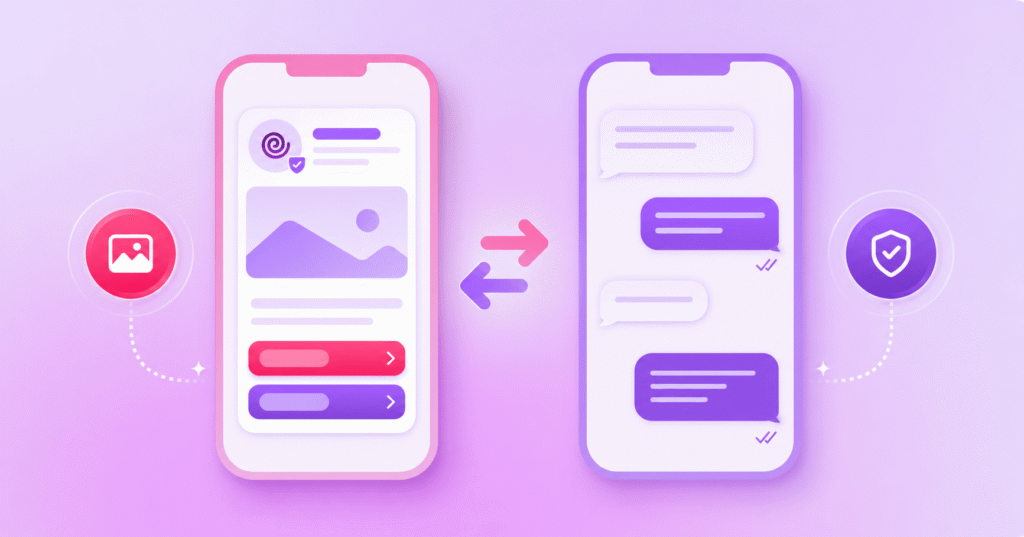
Both can support richer customer conversations, but they work very differently when it comes to reach, initiation, business identity and how messaging connects to the wider customer journey.
This guide compares RCS vs iMessage for business so you can understand where each option fits and when another channel may still be needed.
What Is the Difference Between RCS and iMessage for Business?
The difference between RCS and iMessage for business is that enterprises are really comparing RCS for Business with Apple Messages for Business, not consumer iMessage.
RCS for Business lets verified brands send rich, interactive messages to supported customers and can be business-initiated, while Apple Messages for Business is centred on conversations customers start through Apple surfaces, websites or apps, with opted-in Business Updates available for some follow-up communications.
What Are RCS for Business and Apple Messages for Business?
RCS for Business
RCS for Business is a carrier-supported messaging channel that allows verified brands to send rich and interactive messages to RCS-capable customers through supported native messaging apps.
Google explains in its RCS for Business documentation that an RCS agent can send the first message after an external trigger, making the channel suitable for notifications, reminders, promotions and two-way service journeys.
Soprano’s RCS Messaging Platform and API provides a closer look at how businesses can use RCS for branded, interactive messaging.
Apple Messages for Business
Apple Messages for Business is Apple’s service for conversations between participating businesses and customers inside the Messages app.
Customers can start through Maps, Safari, Siri, Search or a participating business website or app, as outlined in Apple’s Messages for Business support guide, while authorised Business Updates can support opted-in follow-up notifications.
This is different from a business simply sending consumer iMessages to a list of iPhone users.
RCS vs iMessage for Business: Comparison Table
RCS for Business vs Apple Messages for Business
| Criteria | RCS for Business | Apple Messages for Business |
|---|---|---|
| Initiation | Business can initiate messages from configured triggers, subject to platform and market rules. | Customers primarily start conversations; authorised Business Updates can support follow-up notifications. |
| Reach | Supported RCS-capable Android and iOS users, depending on device, carrier, region and settings. | Supported Apple devices and Apple Messages for Business entry points. |
| Rich experience | Branding, rich media and interactive responses. | Service conversations can support activities such as appointments and purchases, depending on the business. |
| Trust | Verified RCS agents can display business identity and a Verified icon. | Apple provides business-messaging privacy and conversation controls. |
| Fallback | Capability checks can support another channel such as SMS when RCS is unavailable. | A separate channel strategy is needed for customers outside an Apple Messages for Business journey. |
How Do Reach and Device Support Differ?
Google describes RCS for Business as supporting customer engagement across Android and iOS, but availability still depends on device capability, carrier, region and settings.
Apple Messages for Business stays within Apple’s ecosystem, with customers using supported Apple devices to start or continue the conversation.
RCS can therefore provide broader potential coverage for proactive messaging, while Apple Messages for Business is more tightly linked to Apple users and Apple-controlled entry points.
How Do Conversation Initiation and Discovery Differ?
With RCS for Business, an agent can send the first message when a configured trigger occurs, such as an order shipping or an appointment approaching.
With Apple Messages for Business, customers primarily enter through Apple surfaces or approved website and app entry points, although Business Updates can support authorised follow-up notifications.
The practical question is whether the journey starts with the business needing to contact the customer or the customer choosing to open a conversation.
Rich Features, Verification and Customer Trust
RCS for Business supports branding, rich media and interactive responses, while verified agents can display a Verified icon in supported messaging apps.
Apple Messages for Business can support activities such as customer service, appointments and purchases, although Apple notes that capabilities vary between participating businesses.
Trust is handled differently too, with RCS using verified business agents while Apple gives customers controls for leaving business conversations and managing authorised Business Updates.
Soprano’s RCS Marketing Best Practices Guide covers practical considerations for designing richer RCS journeys without relying on interactivity for its own sake.
Integrations, Automation and Human Handoff
RCS for Business uses APIs and webhooks to exchange messages and events, allowing organisations to connect messaging with customer data, automation and agent workflows.
For Apple Messages for Business, the available automation and agent experience depend on how the participating business has implemented the service and connected it to its customer-service environment.
Whichever channel you use, define what automation can complete, when a person needs to take over and what context should move with the conversation.
Which Business Messaging Option Should You Choose?
Choose the channel around the customer journey rather than the colour of the message bubble.
RCS for Business can fit proactive notifications and campaigns to known customers where rich branded messaging, broad supported-device reach and fallback are important.
Apple Messages for Business can fit service and commerce journeys where Apple users deliberately start a conversation from an Apple surface, website or app.
Some organisations may use both for different journeys rather than forcing one option to handle every interaction.
Why SMS Fallback and an Omnichannel Strategy Still Matter
Rich messaging depends on device, carrier, platform and configuration, so businesses still need a path for customers who cannot receive the preferred channel.
Google’s RCS documentation supports capability checks and recommends another technology such as SMS when a device cannot receive RCS.
An omnichannel messaging platform can apply this logic across journeys, for example attempting RCS first and using SMS when RCS is unavailable where the deployment supports that rule.
Soprano’s Business SMS Platform and Bulk SMS page explains how SMS can support time-sensitive communications and fallback alongside richer channels.
RCS vs iMessage for Business Frequently Asked Questions
What Is RCS for Business?
RCS for Business is a carrier-supported business messaging channel that lets verified brands send rich, interactive messages to RCS-capable customers through supported native messaging apps.
It can support rich media, interactive responses and two-way conversations, with availability varying by device, carrier, region and settings.
Can Businesses Send iMessages to Customers?
Businesses cannot simply use consumer iMessage as a bulk outbound business messaging channel.
Apple’s business service is Apple Messages for Business, which is primarily customer-initiated, while authorised Business Updates can support certain opted-in follow-up messages.
Does RCS Work on iPhone?
RCS works on supported iPhones where the device, carrier, market and settings support the service, and Google describes RCS for Business as supporting customer engagement across Android and iOS.
Businesses should still check capability and regional availability rather than assuming every iPhone can receive an RCS business message.
Is RCS Better Than iMessage for Business?
RCS is not universally better than Apple Messages for Business because the right option depends on how the conversation starts, who you need to reach and what journey you are building.
RCS often fits proactive outbound messaging, while Apple Messages for Business can fit customer-initiated service and commerce journeys inside Apple’s ecosystem.
Build Rich Business Messaging Journeys with Soprano
RCS and Apple Messages for Business can both support richer customer interactions, but the right choice starts with audience coverage, initiation model, integrations and fallback rather than the device brand alone.
Soprano’s RCS Business Messaging solution supports verified, branded and interactive messages through supported native mobile messaging apps, with SMS able to support fallback where RCS is unavailable and the deployment is configured for it.
If you are comparing rich messaging options or planning an RCS rollout, speak to a Soprano expert about the journey, integrations and fallback rules you need to put in place.