Confirmation Email Best Practices
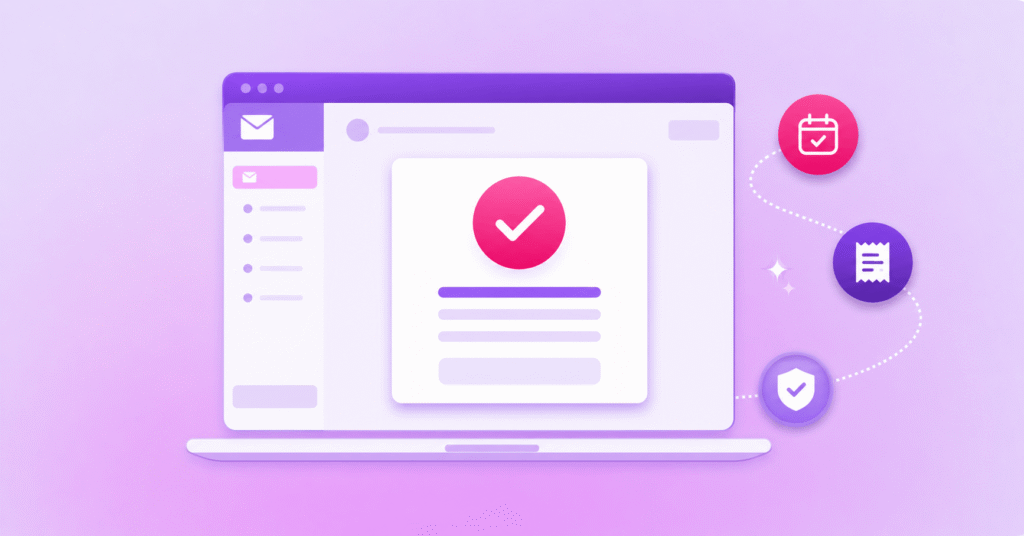
Your customer has just placed an order, booked an appointment, registered for an event or made a payment.
The next question is usually the same: did it actually go through?
A good confirmation email removes that uncertainty straight away, then gives the recipient the details and next step they need without making them search through promotional content or contact your support team.
These confirmation email best practices will help you create transactional emails that are clearer for customers and easier for your teams to manage at scale.
What Should a Confirmation Email Include?
A confirmation email should immediately confirm what happened, identify the order, booking or request, summarise the essential details and explain what happens next.
It should use a clear subject line and recognisable sender, include contact or support options, work well on mobile and avoid distracting promotional content.
Accurate personalisation, email authentication and reliable triggering are also important for trust and delivery.
What Is a Confirmation Email?
A confirmation email is a transactional message sent after a customer or user completes an action, such as placing an order, making a booking, registering for an event or submitting a payment.
Its main job is to confirm that the action was successful and give the recipient a record of what happened.
For organisations sending these messages at scale, an email messaging platform can help automate transactional emails, apply personalisation and manage reporting across the journey.
That sounds simple, but confirmation emails often sit at an important point in the customer journey because the recipient may have just shared personal information, committed money or reserved something they do not want to lose.
If the email is late, unclear or never arrives, your customer may wonder whether they need to repeat the action or contact you for help.
Confirmation Email Best Practices
The best confirmation emails are not necessarily the longest or most polished.
They simply make the important information easy to find.
A useful way to review your own confirmation emails is to work through this checklist:
Confirmation Email Checklist
| Check | What Your Confirmation Email Should Do |
|---|---|
| Confirm the action immediately | Tell the recipient clearly that their order, booking, registration or payment was successful. |
| Show the essential details | Include the reference number, date, amount, location, product, service or other information they may need later. |
| Explain what happens next | Tell the recipient whether they should expect delivery, attend an appointment, wait for another update or complete another step. |
| Use a recognisable sender | Make it obvious which organisation sent the message and why. |
| Provide a support route | Give customers a clear place to go if something is wrong or they need to change the transaction. |
| Design for mobile | Keep key details readable without requiring the recipient to zoom, scroll excessively or open an attachment unnecessarily. |
| Check the trigger | Make sure the email sends when the action is actually completed and that duplicate events do not create duplicate confirmations. |
| Keep marketing secondary | Do not let offers or unrelated promotions distract from the confirmation itself. |
That final point is especially important.
A customer opening an order confirmation email should not have to scroll past a sale banner before they can work out whether their order was accepted.
Confirmation Email Examples for Orders, Bookings, Registrations and Payments
The information you include will depend on the action being confirmed, so there is no single email confirmation template that suits every journey.
Here are four simple examples of what the core message could look like.
| Use Case | Subject | Message | Next Step |
|---|---|---|---|
| Order Confirmation | Order #4821 Confirmed | Thanks, Priya. We’ve received your order and your reference number is #4821. Your items will be dispatched to 24 Smith Street, and we’ll email you again when they are on the way. | View or manage your order |
| Booking Confirmation | Your Appointment Is Confirmed for 14 September | Your appointment is booked for 10:30am on 14 September at our Sydney location. If you need to change or cancel your booking, you can manage it using the link below. | Manage your booking |
| Registration Confirmation | You’re Registered for the Customer Service Forum | Your registration for the Customer Service Forum on 22 September is confirmed. We’ll send joining information to this email address before the event. | Add the event to your calendar |
| Payment Confirmation | Payment Received: Invoice #91834 | We’ve received your payment of $420 for invoice #91834. No further action is required, and you can keep this email as confirmation of payment. | View your receipt |
These examples are deliberately straightforward.
The wording, fields and next step should change according to the journey, but the recipient should never have to guess what has been confirmed.
For order and delivery journeys, our guide to How Automated Delivery Notifications Can Help Reduce Failed Deliveries looks more closely at how proactive updates can keep customers informed after purchase.
How to Write Confirmation Email Subject Lines and CTAs
Your subject line should tell the recipient what happened before they open the email.
“Order #4821 Confirmed” is more useful than “Thanks for shopping with us”, just as “Your Appointment Is Confirmed” is clearer than “We’ll See You Soon”.
Use personalisation when it helps identify the transaction, but avoid adding unnecessary information that makes the subject harder to scan.
The same principle applies to calls to action.
A confirmation email might not need a CTA at all if the recipient has nothing else to do.
When an action is useful, make it specific to the journey, such as Track Your Order, Manage Your Booking, Download Your Receipt or Add to Calendar.
Do not make your customer choose between several competing buttons when there is one obvious next step.
Deliverability, Authentication and Compliance Considerations
Writing a clear email only helps if the right confirmation is triggered and your sending setup supports reliable delivery.
Start with the workflow itself.
Your systems should know exactly which event triggers the confirmation, what customer data is inserted and what should happen if the same transaction event is received more than once.
For example, retrying a payment or refreshing a booking page should not accidentally create multiple confirmation emails for one transaction.
Your sending domain also needs the appropriate email authentication in place.
SPF and DKIM help receiving providers verify mail associated with your domain, while DMARC builds on those mechanisms by allowing domain owners to define how messages that fail authentication should be handled and reported.
Google currently requires senders to personal Gmail accounts to meet authentication requirements, with additional SPF, DKIM and DMARC requirements applying to bulk senders.
Yahoo also expects senders to authenticate mail and considers factors such as domain, IP and sender reputation when handling incoming email.
Your HTML matters too.
Keep layouts readable on mobile, use descriptive links and meaningful alternative text where imagery carries information, and provide a plain-text version so the essential confirmation is still understandable when HTML does not render as expected.
You should also keep the transactional purpose clear when adding promotional content.
In the US, the FTC distinguishes transactional or relationship messages from commercial messages based on the primary purpose of the email, including how the subject line and commercial content are presented.
Other markets apply their own rules, so your legal and compliance requirements should be checked according to the recipient, message type and jurisdiction.
Common Confirmation Email Mistakes
Most confirmation email problems come back to one thing: making the customer work too hard to understand what happened.
Watch out for:
- Vague subject lines: tell the recipient what has been confirmed before they open the email.
- Missing reference details: include the information they may need if they contact you later.
- No clear next step: explain what happens next, even when that next step is simply waiting for another update.
- Broken or inaccurate personalisation: a wrong name, booking time or delivery address can undermine confidence quickly.
- Duplicate confirmations: test retry behaviour and integrations so one action does not trigger the same email repeatedly.
- Promotions taking over the message: keep optional marketing secondary to the transaction the customer actually wants information about.
- No support path: give recipients somewhere to go when the details are wrong or their plans change.
How to Measure Transactional Email Performance
Do not judge a confirmation email only by how many people open it.
Start with whether the email was triggered when it should have been and whether the information inside it helped the customer complete the journey.
Your team might track delivery failures, bounce rates, sending delays, duplicate messages and errors in personalised fields.
You can then look at journey-specific outcomes such as customers managing their booking successfully, tracking an order, downloading a receipt or completing another required action.
If the journey continues across email, SMS or other channels, an Omnichannel Messaging Platform can also help you coordinate those communications rather than measuring each message in isolation.
Support data can be useful as well.
If customers regularly contact your team immediately after receiving a confirmation because they cannot find delivery information, cancellation instructions or payment details, the email may be technically working while still leaving an important question unanswered.
The strongest measure is whether your confirmation removes uncertainty instead of creating another reason for the customer to get in touch.
Confirmation Email FAQs
Are Confirmation Emails Transactional Emails?
Confirmation emails are commonly transactional when their primary purpose is to confirm or provide information about an action the recipient has already taken, such as an order, booking or payment.
Legal definitions vary by market, particularly when promotional content is added, so organisations should check the requirements that apply to their recipients and use case.
Should You Include Marketing in a Confirmation Email?
You can include relevant additional content where the applicable rules allow it, but the confirmation itself should remain the clear primary purpose of the email.
Avoid allowing promotions, cross-sells or campaign creative to push essential transactional information further down the message.
When Should a Confirmation Email Be Sent?
A confirmation email should normally be triggered as soon as the underlying transaction or action reaches the state you are confirming.
Do not confirm an order, payment or booking before your systems have actually accepted it.
Can You Send Confirmation Emails from a No-Reply Address?
You can use a sending address that is not monitored for replies, but the customer should still have a clear support route when they need help, change a booking or question the transaction.
The right setup depends on how your organisation manages inbound customer responses and service workflows.
Send Confirmation Emails at Scale with Soprano
Confirmation emails work best when the content, customer data and underlying trigger all agree on what has just happened.
Soprano’s Email Messaging Platform enables organisations to send personalised, high-volume marketing, transactional and operational email communications, with support for branded templates, personalisation, conditional content, trackable links and engagement reporting.
Email can also form part of a wider customer journey alongside other communication channels where that fits your use case.
If you are reviewing how confirmation emails are triggered, personalised and managed across your customer journeys, speak to a Soprano expert about the email and messaging workflows you need to put in place.