AI Chatbot Use Cases for Business
Speak to any product team and they’ll tell you the same thing.
A successful AI implementation starts with a problem worth solving, then works backwards to the technology.
Start the other way around, with a chatbot looking for a job to do, and the issues arrive quickly: vague scope, answers nobody owns and customers who can’t reach a person when they need one.
That said, there are AI chatbot use cases for business where most organisations find their first wins.
In this article, you’ll find the most common use cases across customer service, sales, bookings and employee support, how they work across messaging channels, how to prioritise them and the mistakes to avoid.
What Is an AI Chatbot?
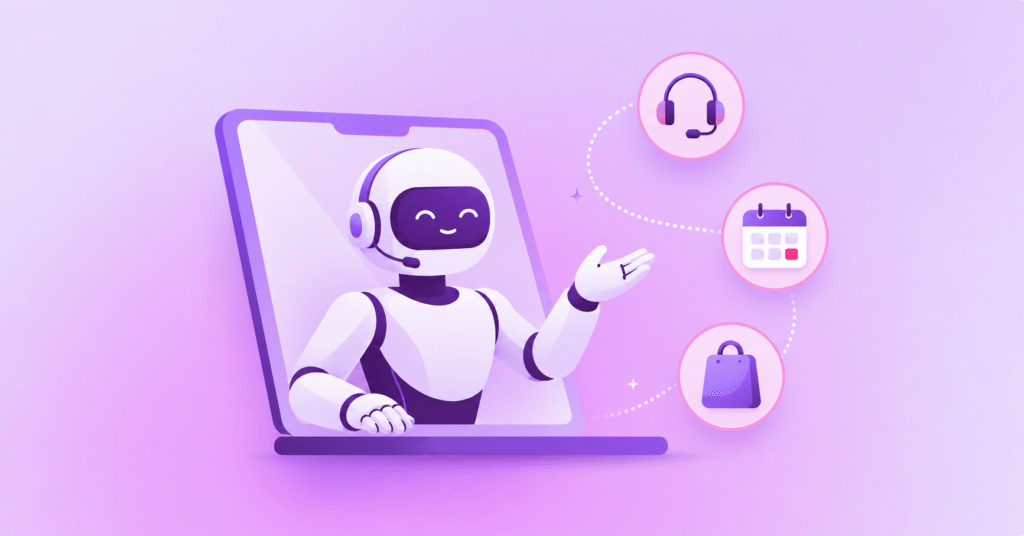
An AI chatbot is a software application that uses artificial intelligence to understand what people type or say and respond in natural language, through channels such as website chat, WhatsApp or SMS. Unlike rule-based chatbots that follow fixed scripts, it can interpret intent and context. When connected to business systems, it can also complete tasks, such as checking an order or booking an appointment, and hand complex conversations to a person.
It helps to separate the chatbot from the technology behind it.
The chatbot is the interface your customers or employees talk to. Conversational AI is the intelligence that understands language, context and intent, and decides what happens next.
That’s why choosing a Conversational AI chatbot platform for enterprise matters more than the chat window itself. The platform is what connects each conversation to your systems, your approved content and your people.
What Makes a Strong AI Chatbot Use Case?
A strong use case is a task people ask about often, with a clear finish line, that your systems can actually complete.
Think order status checks, appointment bookings or routine HR questions. Each has a clear goal, the information needed lives somewhere you control, and you’ll know when the job is done.
Weaker use cases tend to start with the technology, and the cost shows up later. Gartner expects over 40% of agentic AI projects to be cancelled by the end of 2027, citing escalating costs, unclear business value and inadequate risk controls.
Before you commit to a use case, check three things:
- Completion: What does done look like? An answered question, a confirmed booking or a request accepted by the right team.
- Information: Where does the answer live? It needs to sit in a knowledge base, CRM, booking system or service platform the chatbot can reach.
- Handover: Who takes over when the chatbot can’t help? Name the person or team, and make sure they receive the conversation history.
Which AI Chatbot Use Cases Fit Customer Service?
Customer service is where most organisations start, and for good reason: it’s where the repeat questions pile up.
It’s also where handover matters most. In a Gartner survey of more than 5,700 customers, 64% said they’d prefer companies didn’t use AI in customer service, and their top concern was that it would become harder to reach a person.
This doesn’t mean you shouldn’t use AI for customer service. It means any customer service chatbot you launch needs a simple, obvious handover to a person.
For a wider look at service strategy, see our guide to Conversational AI for Customer Service.
Answering Common Customer Questions
If your contact centre answers the same handful of questions every day, those questions are your first use case.
Picture a utilities customer messaging to ask why this month’s bill is higher than usual.
The chatbot answers from approved billing content, explains the most likely reasons and links to the customer’s account. If the customer wants to dispute the charge, it hands over to an agent with the conversation attached, so they don’t have to start again.
The key here is ownership. Every answer needs a team responsible for keeping it current, or accuracy drifts quickly.
Checking Order and Delivery Status
“Where is my order?” is a question retail and logistics teams hear constantly, and one of the easiest for a chatbot to finish.
A customer messages on WhatsApp. The chatbot confirms who they are, retrieves the order record and replies with the latest status and expected delivery date.
When the record is missing or the customer reports a problem, the conversation moves to the service team.
Success is simple to measure: completed status checks, and fewer follow-up contacts about the same order.
Which AI Chatbot Use Cases Support Sales and Lead Qualification?
In sales, a chatbot’s job isn’t to close the deal. These conversational AI use cases are about understanding what a prospect needs and getting them to the right person faster.
Qualifying Inbound Enquiries
When a prospect starts a conversation on your website, the chatbot can ask the questions your sales team would ask first, such as organisation size, requirements and timeframe.
It records the answers in your customer relationship management (CRM) system and routes qualified enquiries to the right salesperson with that context attached.
Your team starts the call knowing what the prospect needs, instead of spending the first ten minutes finding out.
Pricing commitments, technical advice and anything regulated stay with people.
Routing Product Enquiries
Prospects don’t always know which product they need.
A chatbot can ask about their requirement, point them to relevant content and route them to the right specialist, whether that’s a regional sales rep or a product expert.
It works best when the chatbot draws on approved product content and clear routing rules, so it never guesses at a recommendation.
Which AI Chatbot Use Cases Suit Bookings and Service Requests?
Bookings and service requests are bounded tasks with a clear finish line, which makes them strong candidates for automation.
Booking and Rescheduling Appointments
A patient receives an appointment reminder by RCS and taps a button to reschedule.
The chatbot checks the booking system, offers available times and confirms the new slot in the same conversation. Where RCS isn’t supported on the patient’s device, the same journey can fall back to SMS.
Special requirements, unavailable slots or failed confirmations go to the booking team.
Triaging Service Requests
A council resident reports a damaged streetlight on WhatsApp.
The chatbot asks for the location and a photo, creates a service record in the right category and replies with a reference number.
Anything urgent or ambiguous, such as a safety hazard, goes straight to a person. Measure how accurately requests are routed and how quickly the right team responds.
Which AI Chatbot Use Cases Fit Employee Support?
Not every use case faces customers. An internal AI assistant can take routine questions off your HR, IT and operations teams, as long as access is designed around each employee’s role.
Answering HR and Policy Questions
How do I apply for parental leave? Where’s the travel policy? Questions like these arrive every day, and the answers already exist in approved documents.
An internal assistant can answer them instantly from current HR content, limited to what each employee is allowed to see.
Personal circumstances, disputes and anything open to interpretation go to HR.
Routing Operational Requests
For frontline and operations teams, a chatbot can capture requests such as equipment faults or access changes, complete the required fields and send them to the responsible team.
That reduces the back-and-forth over incomplete submissions, which is often where the time goes.
What Does a Successful AI Chatbot Use Case Look Like?
Acorn Compliance, a UK compliance technology company, helps healthtech startups and scale-ups meet the NHS Digital Technology Assessment Criteria (DTAC) before their tools can be used in hospitals and clinics.
Its onboarding was manual. New clients completed a static intake form that triggered emails, document requests and folder set-up, and they could wait up to a day to make progress.
Working with Soprano Design, Acorn built Squirrel, a conversational AI chatbot that asks contextual questions, generates documents, gives tailored guidance and maps out next steps. It connects to Acorn’s internal systems to create folders, trigger tasks and pre-fill templates, and existing users can work through blockers on their own.
Between August 2024 and August 2025, the chatbot saved around 15 hours per customer across the DTAC process, or 2,790 staff hours in total. Conversion rose from about 20% to 37%.
The lesson for your own use case: Acorn started with a specific, time-consuming process and built the chatbot around it. Read the full healthtech chatbot case study.
How Can You Prioritise and Measure an AI Chatbot Use Case?
Once you have a shortlist of enterprise chatbot use cases, score each one against the same criteria.
- Volume: How often the task happens, based on real enquiry or request data.
- Repeatability: Whether the goal and finish line are consistent from one conversation to the next.
- Data readiness: Whether the information is current, accessible and owned by an accountable team.
- Risk: What happens if the chatbot gets it wrong, and which human controls you’d need.
- Integration effort: The work needed to read from and update the systems involved.
- Measurable value: The outcome you’ll track and how you’ll know it worked.
Start with high-volume, repeatable tasks where the data is ready and the risk is low.
For higher-risk journeys, such as complaints, vulnerable customers or regulated advice, the US National Institute of Standards and Technology’s AI Risk Management Framework (AI RMF) gives you a voluntary structure for identifying and managing those risks before you automate.
Then set a baseline before launch. Track task completion alongside repeat contacts, corrections and handover quality, so a busy chatbot isn’t mistaken for an effective one.
What Are Common AI Chatbot Implementation Mistakes?
Most chatbot problems trace back to decisions made before launch.
- Starting too broad: Prove one bounded workflow before adding more topics, channels or teams.
- Content without an owner: If nobody is responsible for keeping answers current, accuracy drifts.
- Designing only the happy path: Plan for missing records, failed updates and people who simply want a human.
- Hiding the route to a person: Make the handover easy to find, and pass the conversation history across.
- Mistaking fluency for completion: A confident answer isn’t a finished task. Measure what the chatbot actually completes.
- Ignoring the channel: Build the journey for where your audience already is, whether that’s web chat, WhatsApp, RCS or SMS.
When you’re ready to plan delivery, our Conversational AI Implementation Guide walks through the next steps.
AI Chatbot Use Cases FAQs
Can AI Chatbots Replace Customer Service Agents?
No. AI chatbots work best on repeatable requests within a defined scope, while people handle complex, sensitive or emotional conversations. The strongest set-ups combine both: the chatbot resolves routine tasks and hands everything else to an agent with the full conversation history, so customers never have to repeat themselves.
Which Industries Use AI Chatbots?
Organisations in most industries that handle high volumes of enquiries use AI chatbots. Common chatbot examples include government service requests, healthcare appointments, account questions in financial services, order tracking in retail, billing and outage enquiries in utilities, and enrolment support in education.
Can You Run an AI Chatbot on WhatsApp or SMS?
Yes. Depending on the platform, AI chatbots can run on messaging channels such as WhatsApp, RCS, Viber and SMS, as well as website chat. Richer channels support buttons, images and carousels, while SMS offers broad reach without an app. Many organisations use more than one channel, with SMS as a fallback where richer channels aren’t available.
Does an AI Chatbot Need to Integrate With Your CRM?
Not always. A chatbot answering general questions can work from approved content alone. To check an order, update a record, book an appointment or pass a qualified lead to sales, it needs connections to the systems that hold that information, such as your CRM, booking platform or service desk.
Build Your AI Chatbot Use Cases With Soprano
As you can see, there’s no shortage of AI chatbot use cases worth exploring (if you haven’t started already). The common thread is a clear task, the right systems behind it and an easy route to a person.
The good news is you don’t need to build that foundation from scratch.
Soprano’s Conversational AI platform grounds responses in the knowledge sources you choose, automates workflows end to end and escalates to live agents when human input is needed.
It connects to your CRM, HR and service desk systems through REST and SOAP APIs, supports 65+ languages and includes custom reporting dashboards, so you can track the measures that matter to you. As part of Soprano Connect, your chatbot journeys can also run across supported messaging channels such as WhatsApp, RCS and SMS.
Bring your shortlist of use cases, the systems they rely on and your escalation requirements to a conversation with a Soprano expert.